


Vintage Film Camera - Digicam
4.8173.00 Reviews
App Specs
- Version
- 1.1.5
- Updated On
- License
- Free
- Downloads
- 1,000,000+
- Developer
- ZANKHANA PTE LTD
- Categories
- Photography
- Platform
- Android
Screenshots
 Analysis by AppCompare
I usually reach for a camera app when I want to catch a quick moment without turning the process into a project. With Film Camera - Vintage Camera, the appeal is the chance to give an everyday digital photo a more nostalgic character while I’m taking it. It is a free photography app from ZANKHANA PTE LTD, and its focus makes the most sense for people who enjoy trying film-inspired looks rather than treating every shot as a neutral record.
Starting with the kind of photo you want
Before opening a retro camera, I find it useful to think about the subject and where the picture will end up. A warm, imperfect look can suit a café table, a street scene, or a relaxed portrait, but it may be a poor fit for a document, a product listing, or a photo where accurate color matters. This app is built around creative mood, so I would choose it when the look is part of the point, not when I need the most faithful possible capture.
That distinction also helps set expectations. A film-style effect can make an image feel more personal, but it cannot turn difficult lighting or a rushed composition into a strong photograph by itself. I get better results when I first frame the subject carefully, then use the effect to support the scene instead of asking it to rescue it.
From framing to a finished image
In a typical outing, I would open the camera, frame the moment, and check the live preview before taking the shot. The preview is useful because a filter that looks attractive on a bright wall may feel too heavy on a face or a shadowy interior. Rather than selecting the most dramatic option automatically, I would compare a couple of looks and make sure the subject still reads clearly.
The ability to adjust filter intensity is especially practical here. My advice is to start with a lighter treatment, then increase it only if the photo still feels too clean. That small decision can keep skin tones and important details from being overwhelmed while preserving some of the soft, aged character that makes this style appealing.
For a sequence of pictures from one walk or gathering, I would also try to keep the treatment consistent. It is tempting to give every image a different effect, but a collection often feels more deliberate when the same general palette carries through. I would save the more pronounced light-leak look for a few frames where the flare adds atmosphere, rather than applying it indiscriminately to every shot.
Choosing the right handoff
A camera app is only part of the photo workflow. The next step is deciding whether the image is a casual memory, something to share, or a file that needs careful editing elsewhere. Film Camera - Vintage Camera is most appealing when I want to take a picture and enjoy its stylized result without first building a long editing routine around it.
Worth Reading Before You Choose

Flipboard Shows What News Apps Must Do Beyond the Feed

Switching to Android Auto Means Rethinking Your Driving Routine

Google Calendar Makes a Crowded Week Easier to Manage

Ludo King Makes the Most of the Minutes Between Plans

Baby Panda World Brings Quick Play to Modern Phones, but Its Game Library Feels Busy

ESPN’s Live Game View Makes Following Close Games Easier
If I need precise retouching, detailed color correction, or a dependable record of a scene, I would use a conventional camera app or a dedicated editor instead. Those tools are usually a better fit for careful adjustments and accuracy. For a quick social post or a personal snapshot, though, a direct film-inspired look can save time and help the photo feel finished sooner.
Where the flow can falter
There is a trade-off to using a strongly stylized camera: the look that makes one scene memorable can make another scene muddy or distracting. Low light, busy backgrounds, and subtle color differences are situations where I would check the preview closely. If the effect hides the detail I wanted to keep, I would reduce its strength or switch back to a more straightforward camera.
I would also treat manual controls as tools to use with a purpose, not settings that automatically improve every image. Adjusting focus or exposure can help when the default result misses the subject, but extra tweaking slows down a spontaneous shot. When the moment is fleeting, I would prioritize framing and use a familiar look rather than experimenting with every control.
Capturing the Retro Vibe
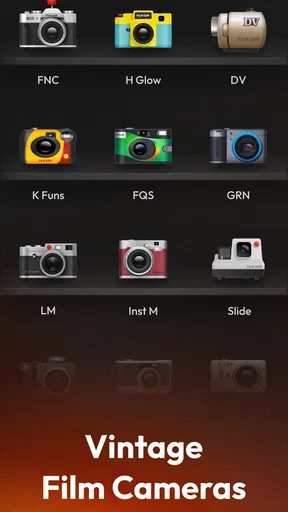
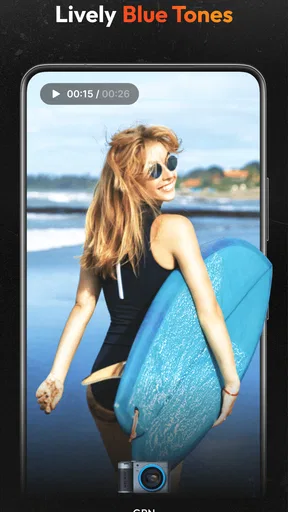
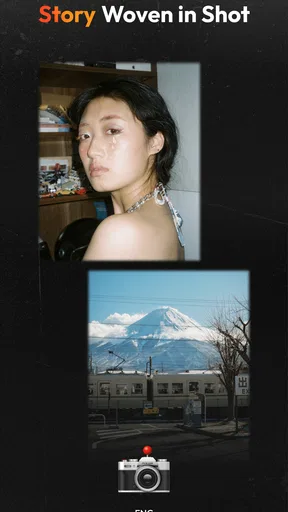
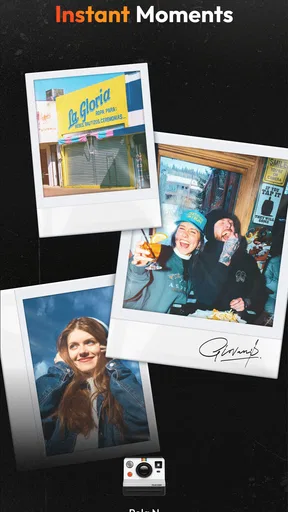
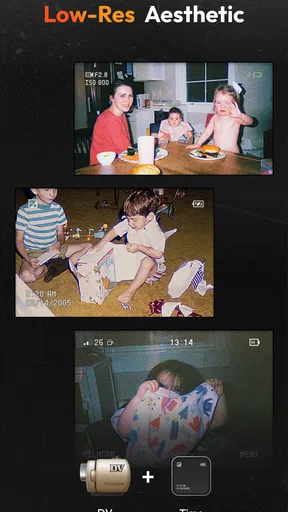
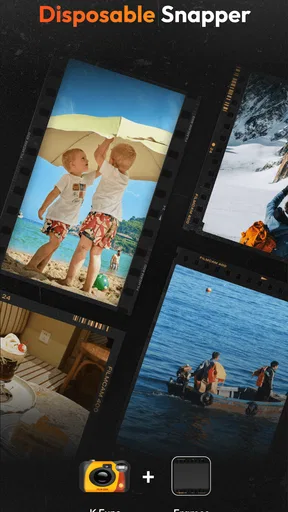
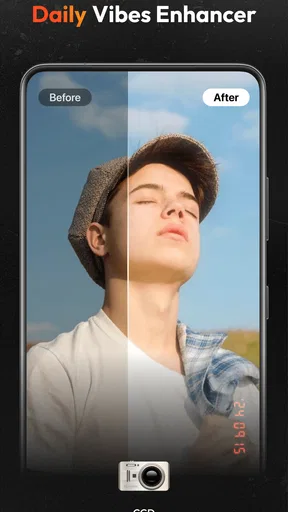
One of the first things I noticed about Film Camera - Vintage Camera is how it perfectly replicates the look and feel of classic film photography. The app offers a variety of filters and effects that mimic the grainy texture and faded colors of vintage film. It’s like stepping back in time with every snapshot!
User-Friendly Interface
Let’s talk about usability. The interface is super intuitive, making it easy for anyone to navigate, whether you’re a seasoned photographer or a beginner exploring creative avenues. With just a few taps, you can switch between different camera modes and apply your favorite effects.
What I really love is the ability to adjust the intensity of each filter. It gives you the freedom to customize your photos to match your artistic vision. Plus, the app doesn’t bombard you with ads, which is always a massive win in my book.
Features That Stand Out
Film Camera - Vintage Camera is packed with features that elevate your photography game. Here are a few highlights:
- Multiple Film Effects: From black and white to sepia tones, the app boasts a range of effects that simulate different film types. You can experiment with each to find the perfect fit for your photos.
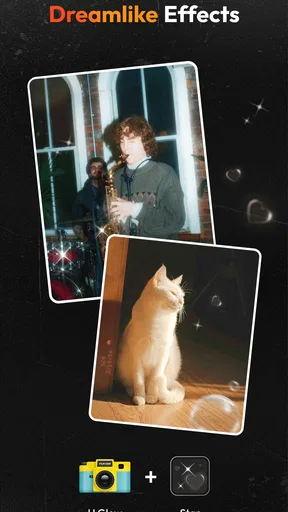
- Realistic Light Leaks: Add a touch of authenticity with light leaks that mimic the imperfections of real film cameras. It’s these little details that make your photos pop.
- Instant Preview: No more guessing games. You can see how each effect transforms your photo in real-time, ensuring you get the perfect shot every time.
- Manual Controls: For those who love tinkering with settings, the manual controls allow you to adjust focus, exposure, and more to achieve the desired look.
Why You’ll Love It
One of the app’s biggest draws is its ability to make any photo feel like a cherished memory. Whether it’s a casual day out or a special occasion, the app adds a sentimental touch that’s hard to find elsewhere. The community of users often shares tips and tricks, making it feel like you’re part of a creative family.
Another thing that stands out is the app's performance. It runs smoothly without draining your battery, which is a huge plus for those long photo sessions. And let’s be real, who doesn’t love an app that respects their phone’s battery life?
Who it suits, and when I’d choose something else
I can see this working well for someone who takes informal photos often and wants a recognizable visual thread across them: a weekend walk, a birthday table, or a small collection of portraits for a personal album. It is also approachable for a beginner who wants to explore exposure and focus without starting with a complex editing suite. The live preview gives a quick sense of how the treatment affects the frame, while the intensity adjustment leaves room to keep the result subtle.
It is less suited to anyone whose main need is dependable color, extensive retouching, or a carefully controlled professional workflow. A phone’s standard camera is the safer first choice for fast documentation and ordinary snapshots where neutral rendering matters. A dedicated editor makes more sense when I want to refine an existing photo in stages. This app sits between those options: it favors a distinctive in-camera style over a broad post-production toolkit.
A small outing, from shot to share
Imagine meeting a friend after work and taking a few pictures outside before dinner. I would use the preview to check that a warm effect does not bury the evening light, take a couple of frames with the same general treatment, and keep any stronger light leak for a shot where it adds something rather than obscuring a face. Later, I could choose one image for a message or social post and leave the rest as a coherent set of memories.
That workflow is deliberately simple, but it avoids two common disappointments: collecting photos with wildly different looks and discovering only afterward that a dramatic effect covered an important detail. For portraits, I would pay particular attention to the face before settling on an effect. For food or colorful objects, I would compare the result against the original scene in my memory, since a nostalgic palette can change how appetizing or accurate those colors feel.
What to know before making it a habit
The app has a 4.7 average from around 69,000 ratings and more than a million installs, which suggests it has found an audience among people who enjoy this kind of camera. It is rated for everyone, and version 1.1.2 is listed for devices running Android 8.0 or later. The app is free to download, with optional in-app purchases ranging from $0.99 to $19.99 per item, so I would check the purchase prompts carefully if I only want to use the free experience.
One practical question is whether the look will suit every picture. I would not expect it to: high-contrast scenes, dim interiors, and images with colors that need to stay true all deserve a preview check. Another is whether a beginner needs to touch manual controls. Usually not; I would start with the automatic camera experience and only adjust focus or exposure when I can see a specific problem to solve. That keeps the process quick and makes experimentation less frustrating.
For people comparing it with other photography apps, the main choice is between capturing with a look already in mind and taking a neutral photo to edit later. The first approach is faster and can help a casual set feel unified. The second gives more flexibility if I change my mind or need exact adjustments. I would keep a standard camera available for important records and use this one when atmosphere matters more than faithful reproduction.
Final Thoughts
Wrapping it up, Film Camera - Vintage Camera is more than just an app; it’s a gateway to rediscovering the beauty of vintage photography. It’s perfect for anyone looking to add a touch of nostalgia to their digital photos, and it’s sure to spark your creativity in new ways.
Whether you’re capturing landscapes, portraits, or candid moments, this app offers a unique way to express yourself through the lens of classic film. So, why not take a trip down memory lane and give it a try? You might just find yourself falling in love with photography all over again.
My recommendation is to treat it as a creative camera for the moments where mood matters: preview the effect, keep a consistent look across a small set, and ease back when the subject needs clarity. If you want a neutral camera or deep editing control, another tool will serve you better. But for quick, personal pictures with a retro feel, this is an inviting option to keep in your photography mix.
Pros
- Authentic vintage filter effects.
- User-friendly interface.
- Wide variety of camera options.
- High-quality photo output.
- Minimal ads for free version.
Cons
- Limited editing tools.
- In-app purchases for premium filters.
- Occasional app crashes.
- No video recording feature.
- High battery consumption.
FAQs for Vintage Film Camera - Digicam
What features does the Film Camera app offer?
The Film Camera app provides a variety of vintage filters and effects that emulate classic film cameras. Users can choose from different film types, adjust exposure settings, and apply light leaks to create a retro aesthetic. The app also offers manual controls for focus and shutter speed, enhancing the photography experience.
Is the Film Camera app user-friendly for beginners?
Yes, the Film Camera app is designed to be intuitive for beginners while still offering advanced features for experienced photographers. The interface is clean, with easy-to-navigate menus and simple controls. Tutorials and tips are available within the app to help new users get started quickly and effectively.
Does the Film Camera app support high-resolution photos?
The Film Camera app supports high-resolution photo capture, ensuring that your vintage-style images maintain quality and detail. Users can adjust resolution settings according to their needs, allowing for flexibility in storage and sharing options. This feature makes it suitable for both casual and professional use.
Are there any in-app purchases or subscriptions required?
The Film Camera app is free to download, but it does offer optional in-app purchases. These may include additional filter packs, advanced editing tools, or ad-free experiences. While the core functionalities are accessible without payment, purchasing extras can enhance the overall user experience.
Is the Film Camera app available for both Android and iOS?
Yes, the Film Camera app is available for download on both Android and iOS platforms. It can be found on the Google Play Store and the Apple App Store. Ensure your device meets the minimum system requirements for optimal performance and compatibility with the latest features.


